
Detail Process Charting:
Speaking the Language of Process
List of Exhibits
1.1 Basic Work Elements
1.2 Do Operation
1.3 Value-Added Symbols for Information Processing
2.1 Transferring Ownership
5.1 Horizontal Flow of a Detail Process Chart
5.2 A Label for Every Item
6.1 Four Base Symbols
6.2 Value-Added Symbols
6.3 Destroy Symbol
6.4 Do Symbol: Value-Added in a Manufacturing Process
6.5 Originate Symbol: Making a Copy
6.6 Originate Symbol: Printing a Hard Copy
6.7 Originate Symbol: Sending an E-Mail
6.8 Not All Lines Are Originated in the Process
6.9 Add/Alter Symbol
6.10 Add/Alter Symbol: Listing Specified Entries
6.11 Handling Symbol
6.12 Handling Symbol: A Higher-Level Chart of an Electronic Process
6.13 Transportation Symbol
6.14 Inspection Symbol
6.15 Delay Symbol: Delay and Storage
6.16 Destroy Symbol
6.17 Looping Process
6.18 Combination Symbol
6.19 Language Structure of Process Charts
6.20 Labels Provide a Table of Contents for the Chart
6.21 Effect Convention
6.22 Multiple Effects into a Single Symbol
6.23 Combining Items
6.24 Separating Items
6.25 Logical Grouping
6.26 Logical Ungrouping
6.27 Alternative Paths
6.28 Correction Routine
6.29 Rejoin of Alternative Paths
6.30 Rejoin of Correction Routine and Main Line Path
6.31 Joining the Flow through a Connector
6.32 Go-To Connector: Connecting to Another Chart
6.33 Target Connector: A Connection from Another Chart
6.34 Connector Labels Showing Rework Loop
6.35 Connector Labels: A Batch Processing Loop
6.36 Connector Labels: An Iterative Process Loop
6.37 Stop/Start Convention
6.38 The Period
6.39 Bypass Convention
6.40 All the Symbols and Conventions
6.41 Making Charts Talk: Labels and Symbols
6.42 Making Charts Talk: Identifying the Items
6.43 Making Charts Talk: The Language of Process
7.1 Gas Purchase: Pay at the Pump Process Notes—Text and Symbols
7.2 Gas Purchase: Converting Notes to a Chart
7.3 Gas Purchase: Every Line Begins with a Label
7.4 Gas Purchase: Flow without Text
7.5 Gas Purchase: Single Item Flow
7.6 Gas Purchase: Pay at the Pump Process
7.7 Gas Purchase: Pay at the Counter Process Notes—Text and Symbols
7.8 Gas Purchase: Credit Card Flow
7.9 Gas Purchase: Preparing a Purchase Slip
7.10 Gas Purchase: Completing the Credit Card Transaction
7.11 Gas Purchase: Pay at the Counter Process
7.12 Online Auction: Accessing the Auction Site
7.13 Online Auction: Finding an Item
7.14 Online Auction: Placing a Bid
7.15 Online Auction: Bid Results
7.16 Online Auction: Complete Single-Path Flow
7.17 Online Auction: Accessing the Auction Site
7.18 Online Auction: Finding an Item
7.19 Online Auction: Placing a Bid
7.20 Online Auction: Bid Results
7.21 Online Auction: Complete Multipath Flow
7.22 Purchase Requisition: Creating the Online Requisition
7.23 Purchase Requisition: Entering Line Items
7.24 Purchase Requisition: Printing the Requisition
7.25 Purchase Requisition: Forwarding Hard Copies
7.26 Purchase Requisition Process
7.27 Police Officer Overtime Slip
7.28 Police Overtime: Alternative Processing
7.29 Police Overtime: Normal Processing
7.30 Police Overtime: Correcting a Problem
7.31 Police Overtime: Correction Routine
7.32 Police Overtime: Commander Review
7.33 Police Overtime: Log Update
7.34 Police Overtime: Grant Work
7.35 Police Overtime: Court Detail Process Start
7.36 Police Overtime: Court Detail Completed
7.37 Police Overtime: Contract Work Process Start
7.38 Police Overtime: Contract Work Process End
7.39 Police Overtime: Complete Process
7.40 Charting E-Mail
7.41 Charting E-Mail with an Attachment
7.42 Charting E-Mail with Multiple Recipients
7.43 Charting E-Mail: Keeping a Copy
7.44 Sending a Fax
7.45 Remote Printing
7.46 Batch Processing: One by One
7.47 Batch Processing: Accumulating a Batch
7.48 Batch Processing
7.49 Multiple Source Documents
7.50 Multiple Source Documents: Grouped
7.51 Multiple Source Documents: Sequenced
7.52 Creating Multiple Copies
7.53 Sorting and Distributing Multiple Copies of a Single Document
7.54 Sorting and Distributing Multiple Document Copies
7.55 Charting People: Customer Prepares an Order
7.56 Charting People: Customer Provides Information in Person
7.57 Charting People: Customer Provides Information over the Phone
7.58 Charting People: Switchboard Handling a Phone Customer
7.59 Charting People: Phone Customer in Answering Queue
7.60 Charting People: Phone Customer and Answering System
8.1 Segment of a Process Chart Printed in Playscript Format
1.2 Do Operation
1.3 Value-Added Symbols for Information Processing
2.1 Transferring Ownership
5.1 Horizontal Flow of a Detail Process Chart
5.2 A Label for Every Item
6.1 Four Base Symbols
6.2 Value-Added Symbols
6.3 Destroy Symbol
6.4 Do Symbol: Value-Added in a Manufacturing Process
6.5 Originate Symbol: Making a Copy
6.6 Originate Symbol: Printing a Hard Copy
6.7 Originate Symbol: Sending an E-Mail
6.8 Not All Lines Are Originated in the Process
6.9 Add/Alter Symbol
6.10 Add/Alter Symbol: Listing Specified Entries
6.11 Handling Symbol
6.12 Handling Symbol: A Higher-Level Chart of an Electronic Process
6.13 Transportation Symbol
6.14 Inspection Symbol
6.15 Delay Symbol: Delay and Storage
6.16 Destroy Symbol
6.17 Looping Process
6.18 Combination Symbol
6.19 Language Structure of Process Charts
6.20 Labels Provide a Table of Contents for the Chart
6.21 Effect Convention
6.22 Multiple Effects into a Single Symbol
6.23 Combining Items
6.24 Separating Items
6.25 Logical Grouping
6.26 Logical Ungrouping
6.27 Alternative Paths
6.28 Correction Routine
6.29 Rejoin of Alternative Paths
6.30 Rejoin of Correction Routine and Main Line Path
6.31 Joining the Flow through a Connector
6.32 Go-To Connector: Connecting to Another Chart
6.33 Target Connector: A Connection from Another Chart
6.34 Connector Labels Showing Rework Loop
6.35 Connector Labels: A Batch Processing Loop
6.36 Connector Labels: An Iterative Process Loop
6.37 Stop/Start Convention
6.38 The Period
6.39 Bypass Convention
6.40 All the Symbols and Conventions
6.41 Making Charts Talk: Labels and Symbols
6.42 Making Charts Talk: Identifying the Items
6.43 Making Charts Talk: The Language of Process
7.1 Gas Purchase: Pay at the Pump Process Notes—Text and Symbols
7.2 Gas Purchase: Converting Notes to a Chart
7.3 Gas Purchase: Every Line Begins with a Label
7.4 Gas Purchase: Flow without Text
7.5 Gas Purchase: Single Item Flow
7.6 Gas Purchase: Pay at the Pump Process
7.7 Gas Purchase: Pay at the Counter Process Notes—Text and Symbols
7.8 Gas Purchase: Credit Card Flow
7.9 Gas Purchase: Preparing a Purchase Slip
7.10 Gas Purchase: Completing the Credit Card Transaction
7.11 Gas Purchase: Pay at the Counter Process
7.12 Online Auction: Accessing the Auction Site
7.13 Online Auction: Finding an Item
7.14 Online Auction: Placing a Bid
7.15 Online Auction: Bid Results
7.16 Online Auction: Complete Single-Path Flow
7.17 Online Auction: Accessing the Auction Site
7.18 Online Auction: Finding an Item
7.19 Online Auction: Placing a Bid
7.20 Online Auction: Bid Results
7.21 Online Auction: Complete Multipath Flow
7.22 Purchase Requisition: Creating the Online Requisition
7.23 Purchase Requisition: Entering Line Items
7.24 Purchase Requisition: Printing the Requisition
7.25 Purchase Requisition: Forwarding Hard Copies
7.26 Purchase Requisition Process
7.27 Police Officer Overtime Slip
7.28 Police Overtime: Alternative Processing
7.29 Police Overtime: Normal Processing
7.30 Police Overtime: Correcting a Problem
7.31 Police Overtime: Correction Routine
7.32 Police Overtime: Commander Review
7.33 Police Overtime: Log Update
7.34 Police Overtime: Grant Work
7.35 Police Overtime: Court Detail Process Start
7.36 Police Overtime: Court Detail Completed
7.37 Police Overtime: Contract Work Process Start
7.38 Police Overtime: Contract Work Process End
7.39 Police Overtime: Complete Process
7.40 Charting E-Mail
7.41 Charting E-Mail with an Attachment
7.42 Charting E-Mail with Multiple Recipients
7.43 Charting E-Mail: Keeping a Copy
7.44 Sending a Fax
7.45 Remote Printing
7.46 Batch Processing: One by One
7.47 Batch Processing: Accumulating a Batch
7.48 Batch Processing
7.49 Multiple Source Documents
7.50 Multiple Source Documents: Grouped
7.51 Multiple Source Documents: Sequenced
7.52 Creating Multiple Copies
7.53 Sorting and Distributing Multiple Copies of a Single Document
7.54 Sorting and Distributing Multiple Document Copies
7.55 Charting People: Customer Prepares an Order
7.56 Charting People: Customer Provides Information in Person
7.57 Charting People: Customer Provides Information over the Phone
7.58 Charting People: Switchboard Handling a Phone Customer
7.59 Charting People: Phone Customer in Answering Queue
7.60 Charting People: Phone Customer and Answering System
8.1 Segment of a Process Chart Printed in Playscript Format
The Amazing Oversight
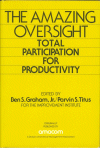
A collection of classic essays by the
pioneers of work improvement... AND it's available through Amazon
for just a few dollars!
Questions?
send me a note – Ben B Graham
send me a note – Ben B Graham